






Imagine a nursing home administrator reviewing payroll and instantly seeing that 10 CNAs have pay increases of 50% or more compared to last week. Instead of manually comparing each timesheet to previous periods, a batch comparison tool highlights these changes at-a-glance, allowing quick verification of whether the increases are due to extra shifts, overtime, or potential errors.
Batch comparison tools show percentage differences between current and previous payroll runs, flagging significant changes for review. Unlike audits that use preset rules to stop processing, these tools provide a visual overview of pay variations so administrators can quickly spot and investigate unusual patterns before finalizing payroll.
The High Cost of Payroll Errors in Healthcare
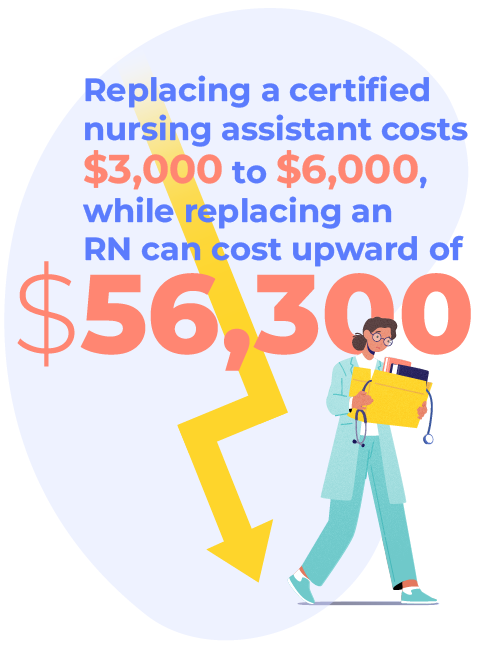
Ongoing payroll issues in healthcare can contribute to staff turnover, an ongoing issue in the industry, and the financial impact is substantial: replacing a certified nursing assistant costs $3,000 to $6,000, while replacing an RN can cost upward of $56,300. Consider the additional costs of addressing payroll mistakes:
➜ One manual correction: 2 to 3 hours of administrative work
➜ One overtime miscalculation: unexpected labor costs
➜ One compliance violation: potential funding penalties and audit expenses
Given these costs, investing in improved payroll accuracy methods becomes a clear business priority.
How Batch Comparison Tools Work Alongside Payroll Audits
Some nursing homes still rely on basic payroll processes that don’t provide adequate oversight for the complexity of healthcare payroll or the scale of a large workforce. The challenge isn’t just about having payroll software—it’s about having visibility into changes and patterns that might indicate problems.
Key Differences Between Comparison Tools and Audits
While both batch comparison tools and payroll audits help catch payroll errors, they work in different ways:
- Payroll audits use predefined rules and thresholds that you set up in advance. When an employee’s pay hits those specific numbers—like exceeding a certain number of hours or reaching a gross pay threshold—the audit flags it and can actually stop you from processing payroll until you approve or correct the issue.
- Batch comparison tools don’t use preset rules or stop payroll processing. Instead, they show you differences between current and previous pay periods, helping you spot unusual changes at a glance. For example, if an employee who normally works consistent shifts suddenly shows gross pay that’s double the previous period, the comparison tool let’s you easily spot this difference so you can investigate whether it’s due to extra hours, a rate error, or another issue.
Real-World Example
Let’s say a CNA typically earns around $800 per pay period. If this week their gross pay jumps to $1,600, a batch comparison tool would show this 100% increase for your review. The audit system might or might not catch this depending on your preset thresholds, but with the comparison tool, you’ll easily spot the dramatic change so you can verify whether they worked double hours or if there’s a payroll error.
What Comparison Tools Show
Batch comparison tools provide instant visibility into:
- Gross pay changes – percentage differences from previous periods
- Hours worked variations – significant increases or decreases
- Pay pattern anomalies – employees with unusual payment changes
This level of visibility makes it easy to spot variations that might not trigger audit rules but still warrant investigation, helping you catch and correct issues before they impact your staff.
Supercharging Accuracy with an All-In-One Solution
The key to ending payroll errors in healthcare is to connect your data sources and review processes. The more connected your systems and HCM solutions, the more intelligent your payroll cycle becomes.
Connection with Scheduling and Time Tracking
An all-in-one payroll platform can connect scheduling and time tracking to your payroll solution. Data automatically flows into payroll, bypassing manual entry and reducing data mistakes.
This system is particularly valuable in healthcare settings and using an employee self-service system, employees can see their own timecard in real time, view PTO balances, and access pay stubs without needing to call HR.
Combining Comparison Tools with Automated Audits
For maximum accuracy, the most effective approach combines batch comparison tools with automated payroll audits.
Organizations like WeCare Centers audit payroll before every processing date, using custom reports to monitor for changes compared to previous weeks and identify trends or issues for better payroll management and cost control.
Accuracy and Advantage with Empeon Payroll Solutions
Your HR and payroll teams deserve tools that simplify their processes and enhance transparency. Empeon’s HCM platform connect your entire HR and payroll department for more accuracy, visibility, and control within your pay cycles.
Batch comparison tools work alongside other features like customized payroll audits to keep you error-free and give you a rapid overview while still allowing you to drill down into the details.
Contact us to learn how to revolutionize operations with customizable tools or book a demo to see it in action.