It starts with a shift change that looks simple… until it isn’t. One nurse works at two facilities in a single week, each under different wage rules, in different states, under different overtime policies. The HR, scheduling, and payroll systems don’t sync, so someone has to piece the information together by hand and hope nothing falls through the cracks.
The gap that’s filled by manual work carries a price. And according to McKnight’s 2026 Outlook Survey of more than 550 long-term care executives and nurse leaders, ever-increasing labor costs are already constricting margins across the sector, which means the cost of disconnected systems matters more than ever.
Here are five signs that your nursing home scheduling software is quietly inflating your spending.
Overtime Surprises Keep Showing Up After It's Too Late
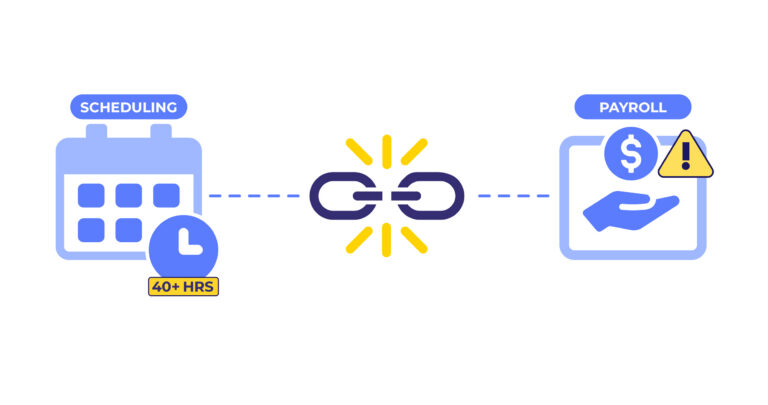
By the time payroll runs, the overtime has already happened. Your scheduling team built a coverage plan that looked fine Monday morning, but a mid-week callout triggered a replacement shift that pushed someone past 40 hours, and no one flagged it in time.
This is what happens when scheduling operates without a live connection to time and attendance data. There’s no mid-week report to offer visibility into who is approaching their hours threshold, no window to redistribute coverage before overtime triggers. For multi-facility operators, the risk compounds: an employee who picks up a shift at a sister facility crosses into overtime that neither location’s scheduler can see. By Friday, it’s in payroll.
PBJ Prep Eats Your Team's Time Because Your Nursing Home Scheduling Software Works Alone
Every quarter, someone on your team manually pulls staffing data from multiple systems. We’re talking RN hours from one place, agency hours from another, job codes verified separately, and then they reconcile it all before the CMS deadline. That process is time-consuming and a compliance risk.
PBJ data feeds directly into your CMS Five-Star Quality Rating, and errors like wrong job codes, missing agency hours, and non-direct care time accidentally included can cost you stars you’ve legitimately earned on the floor. When scheduling, HR, and payroll live in separate systems, manual compilation is the only option. And manual means error-prone, every single quarter. For a closer look at the specific mistakes that lower ratings, see 5 PBJ Reporting Mistakes Hiding in Your Data and Costing You Stars.
Bonus and Shift Differential Pay Keeps Triggering Payroll Corrections
You offered a shift-fill bonus to get a Saturday night covered. It worked. But when payroll processed, the bonus didn’t trigger the overtime recalculation it was legally required to, and now you have a correction to make, a pay period to reopen, and a potential FLSA exposure to document.
Under the Fair Labor Standards Act, non-discretionary bonuses — including any shift-fill incentive announced in advance with predetermined criteria — must be included in the regular rate of pay when calculating overtime. The same applies to shift differentials. When scheduling doesn’t communicate with payroll, those recalculations don’t happen automatically.
The stakes are real: a DOL investigation into 15 Pennsylvania nursing facilities resulted in a $35.8 million judgment, in part because the facilities failed to include shift differentials and non-discretionary bonuses in overtime calculations.
Your Nursing Home Scheduling Software Can't See What HR Knows
Hiring in skilled nursing can take months, and 46% of facilities have had to limit admissions because of it. When you finally get a candidate through the door, the last thing you need is administrative lag slowing down how fast they get on the floor and onto the schedule.
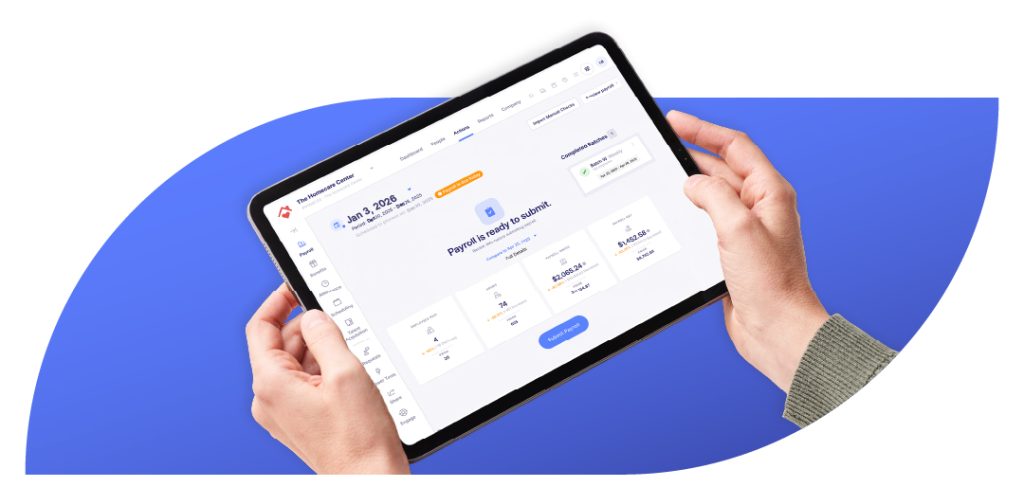
When your ATS, onboarding, scheduling, and payroll systems are connected, a new hire moves through the pipeline as a single record: offer accepted, paperwork completed, credentials verified, shift assigned, pay set up. Nothing has to be manually handed off between systems, re-entered, or cross-checked by HR before the scheduler can act.
When solutions are not connected, that same new hire can sit in onboarding limbo, like credentialed but not yet visible to scheduling, while an agency fills the slot the new hire could have covered. In a sector where turnover exceeds 50% annually at more than half of nursing homes, every day of onboarding delay is a day you’re paying for twice. Plus, your scheduling decisions may be tanking your CMS Five-Star rating.
Your Staff Is Still Manually Moving Data Between Systems
Building a monthly labor cost report means pulling data from scheduling, timekeeping, payroll, and HR. In disconnected systems, that turns into multiple exports, multiple formats, and a single spreadsheet someone has to reconcile before leadership can see a number. Scale it across multiple facilities, and it becomes a full-time job.
Every manual handoff introduces risk and pulls HR and finance teams into data management instead of workforce strategy. Manual month-end reporting, staffing verification, onboarding updates across multiple systems — none of it is inevitable. It is what happens when systems do not share data.
When Your Nursing Home Scheduling Software Is Part of One System, Everything Is Easier
Each of these problems shares the same root cause: systems that weren’t designed for healthcare nor share data in real time. Across a multi-facility organization with employees crossing city lines and state wage requirements, it’s the difference between a manageable operation and one held together by spreadsheets and institutional memory.
If you’re thinking about what full integration looks like in practice, The Hidden Cost of Disconnected Workforce Management for Healthcare is worth reading alongside this.
We also wrote The SNF Scheduling Compliance Workbook for just this reason. It’s for when you know your current setup is costing you more than it should, but you need a clear, structured way to see where the gaps are and what to do about them. It covers overtime prevention, PBJ accuracy, bonus pay compliance, and details which integrated technology matters; all while offering practical exercises you can put to work right now, before the next payroll run or the next quarterly submission. Download the workbook here.