
Haunted by Paperwork? See 5 Ways to Improve HR Record-Keeping

53% of companies have received penalties for payroll breaches in the last five years. According to reports, manual processes and paper records are the main reasons for non-compliance.  

Plus, as much as 19% of companies still use paper records, and most do not intend to upgrade to AI or digital processes in the next two years. These realities are frightening skeletons in the closet for most companies, including healthcare organizations, mainly because they’re preventable. 

While it may seem daunting, improving your healthcare HR record-keeping can be simple with modern and agile tools. Here’s what to know.  

HR records in a nutshell 

Healthcare HR record-keeping is a basic yet mandatory step in the payroll and employment process. The Fair Labor Standard Act says that every company must collect certain information about staff and keep a file of hours worked and wages.  

These records show how you calculated an employee’s wages, taxes, and deductions with the data that back them up. There are no specific laws about the form of records or where to store them, whether in a central office or at the workplace.  

However, the FLSA requires accurate records that include certain basic information, such as demographics, wage rates, earnings, and other data. The Act also requires a time-keeping record and process. You can use whatever method you want as long as the record is accurate and complete.  

In addition, the IRS states that you must include tax forms, records of wage and benefit payments, tax filings and deposits, and documents that support sick or family leave in your records. Each state may also have specific requirements, depending on its programs.  

The chilling impact of paper files on healthcare HR record-keeping  

So, while the law is clear about the information to gather and manage and for how long, it also gives you some leeway and discretion in how you go about compliance. The key is accuracy.  

Mistakes and missing records lead to expensive backpay, fines, and penalties, which can quickly derail your financial progress. Yet, error-prone paper records are still common.  

Only 13% of companies have fully digital records and processes, while 24% are still completely paper-based. At the same time, the average healthcare company has 80.4 employees.  

With the number of files required by law multiplied by each staff member and kept on file for at least three years, you can imagine how quickly those files add up. Those records can overwhelm any HR team and cause unnecessary mistakes and delays.  
How to improve healthcare HR record-keeping 

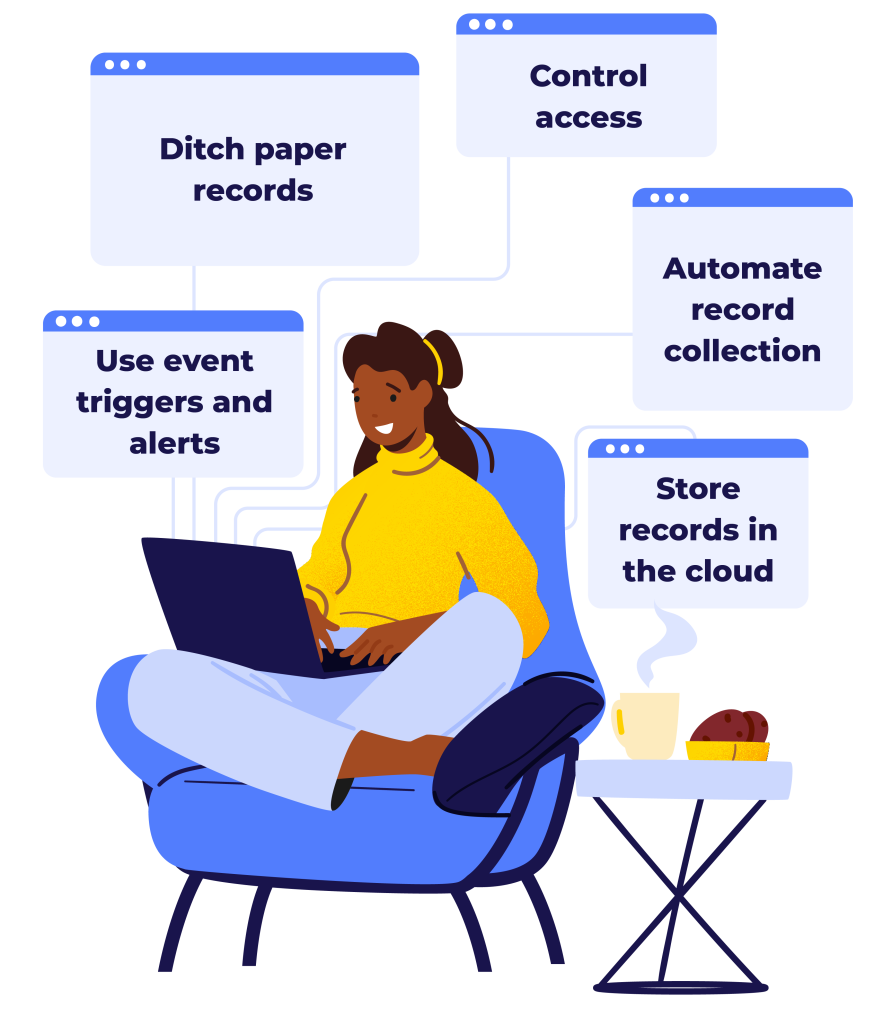
Improving your HR records doesn’t have to be a ghastly ordeal. Five simple steps can transform your entire process, making them seamless and friction-free. 

1. Ditch paper records

Priority number one is to move your payroll records to digital versions as much as possible. The easiest place to start is with payroll software. Rather than manually calculating payroll or writing checks by hand, use a payroll program that automatically calculates wages, taxes, and deductions for you. 

The software will require you to enter each employee’s information to calculate pay. This step creates an instant digital record for you, without needing to maintain any paper files.  

2. Automate record collection

Next, start using digital onboarding solutions and employee dashboards to collect files you normally have on paper. These solutions often have a library of templates so you can quickly create a workflow and collect essential HR documents, like licenses and certificates. 

The workflow auto-populates data into the payroll module, creating a record and speeding up pay processing. It also stores employee information in a secure dashboard where details can be found and updated.  

3. Use event triggers and alerts

Automation helps you better track information, confirm records are complete, and ask for updates. With these tools, you can set instant reminders to upload documents or finish training when staff miss steps or have been dormant for a while.  

You can also use event triggers to automatically send documents or request information when a specific action happens.  

For example, let’s say an employee requests a reimbursement. Use a solution that auto-generates a form or workflow for staff to upload the details and a copy of the receipt. Those files are then sent for review and approval and stored digitally, avoiding additional paperwork. 

These features help you collect data without flooding your office or inbox, and allows staff to manage HR requests and pay information from their phone or device on the go. You have less friction in your process, your accuracy improves, and you avoid unnecessary paper records.  

4. Store records in the cloud

Moving from paper to digital records makes a big difference in the day-to-day HR operations, but it doesn’t mean your records disappear. You will still have many records, just in digital form. Some healthcare companies store these digital files on-site, which may take significant hardware and infrastructure.  

On the other hand, cloud storage moves files off-site, freeing up your physical space and preventing extra data center needs. You can securely store, access, and manage your files on the go and scale your data capacity as needed.  

It’s more convenient and affordable with fewer IT headaches. Plus, cloud-based HR and payroll solutions or storage platforms have enhanced security, data encryption, and often auto-backup records for advanced compliance.  

5. Control access

Finally, keep your records secure. HR departments handle sensitive information, from social security IDs to banking numbers. Only those who need to know the information should have access to it. 

Secure your files with role-based access and be sure your solution tracks login activity. Generate automatic audits to find potential issues or information gaps and follow up quickly.  

Getting beyond record-keeping horrors  

Empeon’s HCM solutions simplify HR and payroll with easier onboarding, automated storage, employee self-service, seamless payroll updates, and more. With these next-gen tools, there’s no need to fear the ghosts of errors past.  

Instead, harness our custom platform for an organized and streamlined future. Get in touch to learn how. 

PBJ reporting errors illustration

5 PBJ Reporting Mistakes Hiding in Your Data and Costing You Stars

If your skilled nursing facility is doing everything right on the floor but still struggling to hold onto four or five stars, the culprit might not be care quality. It might be buried in your Payroll Based Journal (PBJ) data.  As we know, the Centers for Medicare & Medicaid Services (CMS) requires all

Read More »
Illustration showing a mismatch between PBJ census (95 residents) and MDS census (92 residents), with a five-star rating partially reduced and a scheduler reviewing a Q1 2026 calendar.

Your Scheduling Decisions May Be Tanking Your CMS Five-Star Rating: Here’s How

This scenario happens more often than we realize: your facility got dinged on your CMS Five-Star rating and your Total Nursing Hours score dropped, even though you know your staffing levels haven’t changed. You check your PBJ reports, and everything looks accurate. Even your MDS coordinator confirms all assessments were submitted on time. So, what went wrong?  The problem isn’t that

Read More »